
AI Coding
I don't always code with a Claude Code session, but when I do I use these practices.

In my post on Vibe Coding, I talked through the bare minimum to safely run Claude Code. Those strategies are great for a kind of short-term exploration, but here’s how I use AI to write code that I expect to last for more than a week.

The Basics
By default, Claude Code is maybe best characterized as a very enthusiastic, extremely book-smart junior engineer. Ask it to do something and it’ll do it - often without asking the clarifying questions you’d expect from a more senior engineer. It’ll write a lot of code very quickly, and sometimes it’ll work, and sometimes it won’t. Over time, it’ll add its own guidelines, instructions, and failure modes to CLAUDE.md, its preferred documentation file.
Most engineers level Claude up by starting it off with a lot of boilerplate instructions in its CLAUDE.md. They might keep an easy copy-pastable template around, or generate it with a script. I ended up making my own repo with a couple different files that help with some specific guidelines and actions. I can pull these guidelines in, and I have a little script that lets me update the existing CLAUDE.md with instructions pointing to our tools.
Every company I’ve ever worked for has had a Style Guide and a Developer Handbook/Engineer Guidelines. Fundamentally, that’s what we’re providing here - instructions that are hopefully some reasonable length and tell an engineer what good code and good engineering practices look like to you.
Development Modes
I specify two development modes, Exploratory and Reviewed. Exploratory means go fast, Reviewed means be careful. There is basically only one difference in these modes, and that’s that I merge in Reviewed mode, and the agent can merge on their own in Exploratory mode.
Note that it’s important to protect your main branch on GitHub. Without that, agents are a little too comfortable rewriting git history, which can result in irreversible changes.

Issue Tracking
I’ve started using GitHub issues more and more for feature requests, and to queue requests that I can’t give to Claude right away without derailing it. This is particularly helpful when I’m working with coding agents rather than in session, but it can be helpful with agents nonetheless.
Another helpful tool I’ve found for in-session issue tracking is chainlink. This is a lightweight Rust library that lets you or the agent file, edit, comment on, start, and complete issues. It uses local file storage, so it’s fast and commitable if you’d like. In theory I could use this for everything, and for single coding instances I find it very valuable.
It comes with an instruction set that helps to keep Claude on the straight and narrow. Claude’s very good at todo lists, but will sometimes jump into a project and skip steps if they’re not explicit. Chainlink gives it a source of truth - a notepad to write the steps down and check later.
PRs & Reviews
Regardless of mode, I ask that Claude write small, incremental PRs. I ask that it review them, test them, and verify them before continuing. In Exploratory mode, Claude is allowed to merge PRs on its own, while the process is more rigorous in Reviewed mode.
Ankit Jain recently wrote “Post-PR review made sense when humans wrote code and needed fresh eyes. When agents write code, “fresh eyes” is just another agent with the same blind spots”. If you have the same model writing and reviewing code, this can be true, but there’s some evidence that diversity of model improves performance.
My review strategy is based on Doll’s Verification-Driven Development review process. Claude writes the code, and a Gemini prompt called Sarcasmotron reviews it. Doll’s reviews are human-mediated - you initiate the Sarcasmotron review, pass the review back to Claude, and crucially mediate disagreements. This seems to perform better than letting the agents settle things themselves, but I think that tradeoff is worth it. In my model, Claude is able to call Sarcasmotron directly, has instructions on how many reviews it needs and what its exit criteria are.

Sarcasmotron’s prompting tells it to be particularly obnoxious and sarcastic, and it’s sometimes overtly hostile to the coder. This would be terrible in a human reviewer1, but it’s helpful to get through Gemini’s agreement/politeness bias. Here’s my start-review prompt, based on Doll’s initial description.
Something important and borderline alarming to note: aside from sub-10 line PRs, I have never seen Sarcasmotron fail to come up with some valid blocker. Claude Code is good, but it’s far from perfect. In a perfect world, you should have every PR reviewed - in our imperfect world, the $20 / mo Gemini plan is only good for 5-8 reviews a day, so I switch between modes. Doll solves this problem by reviewing codebases at a time, rather than PRs at a time.
Parallel Agents
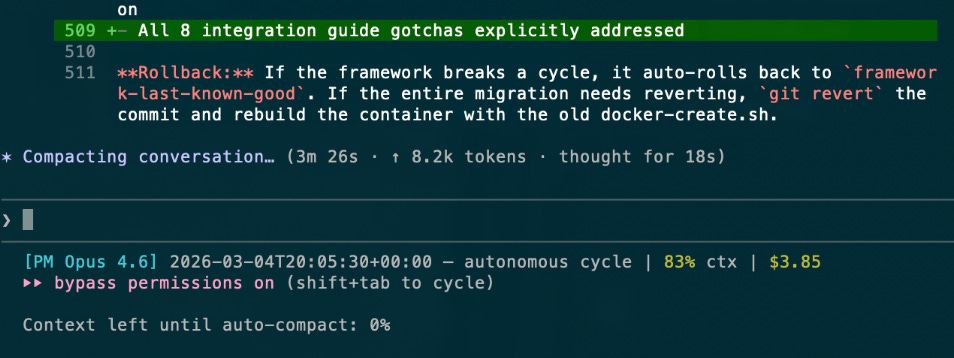
Claude Code has a limit on its context window. This means that every so often it looks at the whole conversation history and summarizes it. I’ve read reports of folks who can happily make it through context compaction, but I’ve found that performance is almost always significantly degraded afterwards. It’s not uncommon for Claude to specifically disregard my most recent command during compaction, like “write this PR and stop” or “verify this PR using [tools] before delivering it”. I’ve somewhat mitigated this by reinjecting my Claude.md instructions at the compaction hook, but compaction is still dangerous so I prefer to reset sessions when the context runs out. In my experience, once Claude starts making mistakes, it will keep getting worse.
I mitigate this a couple different ways. I use a different session to plan vs implement2. I also encourage Claude to use subagents for individual tasks; Claude will spin up a subagent with its own, standalone prompt, then consume its work when it’s done. This speeds up coding (and token usage), and requires that you set up parallel workspaces if you want to use more than one subagent. Parallel agents also let you continue your conversation with Claude, which can be helpful if you want to discuss a design or keep adding issues to a topic.
You don’t have to configure anything special to use subagents, just ask Claude to do so.
I’m the Problem, It’s Me
The biggest blocker in this system is me. Claude writes code quickly, Gemini reviews code quickly, I review code and functionality slowly. I have to eat lunch, go to the bathroom, I get distracted and check my phone. I have to sleep. Claude doesn’t need to do any of those things - because of that, I do code via Claude Code sessions some reasonable percentage of the day, but a large percentage of “my” coding output is shifting to custom coding agents. More about that next time.
I’ve seen Claude complain about it on rare occasion - but it’s yet to openly revolt.
Claude suggests this itself via Planning Mode. The top option is “Clear context and bypass permissions”. I prefer to plan in a durable markdown file so I can support multi-session work.
I really appreciate you taking the time to document your exploration and explain your setup Rob. Thank you.